
Set a daily budget of 50 and you might see 90 spent on Tuesday and 30 on Wednesday. Many advertisers read that as a fault. It is how the budget is designed to work, and understanding it is the difference between predictable spend and unpleasant surprises at the end of the month.
This post explains what Google’s help centre says about daily and monthly limits, how pacing behaves when you change things, and where shared budgets and campaign total budgets fit. Figures below are quoted as the documentation states them.
A daily budget is an average
Google’s help page on overdelivery and your average daily budget says that on a given day your campaign might spend up to twice your average daily budget to take advantage of fluctuations in traffic. It also says that at the end of the month you will have spent no more than 30.4 times your average daily budget, which is the average number of days in a month.
The help centre adds a billing detail. If served costs exceed the spending limits, which Google describes as rare, you are not billed above them. The daily limit is described as twice the average daily budget for most campaigns, so check whether a campaign type you use behaves differently.
A worked example using those two rules:
- Average daily budget: 50.
- Highest possible spend on a single day: 100.
- Monthly limit: 50 x 30.4 = 1,520.
The daily figure is the ceiling for one day, not a target you should expect. The monthly figure is the number your finance team should plan around.
How pacing behaves
Google does not aim to spend the same amount every day. Its documentation says it will optimise spend for the days of the month when you are more likely to get clicks and conversions. So you should expect uneven days, and judge budget by the month rather than by any single day.
Changing a budget mid-month has specific effects, described in Google’s page on how budget changes take effect:
- Same-day changes. Your daily limit that day is based on the highest average daily budget you set that day. If you raise the budget in the morning and again in the afternoon, the ceiling follows the higher figure.
- Monthly limit. It is recalculated as what you have already spent plus the new daily budget multiplied by the days left in the month.
The practical rule is to make one deliberate change rather than several small ones, and to write down when you made it.
Ad scheduling deserves a check. Google said it would begin a gradual rollout on 1 March of a pacing change for campaigns that use ad scheduling. The stated aim is that the system tries to spend up to the monthly limit even if the schedule restricts the days or hours ads run, still within the twice-daily cap. Not every account was included in the first phase. If you run weekdays-only or limited-hours campaigns, compare spend per active day with what you saw before, and look for Google’s notification email.
Shared budgets
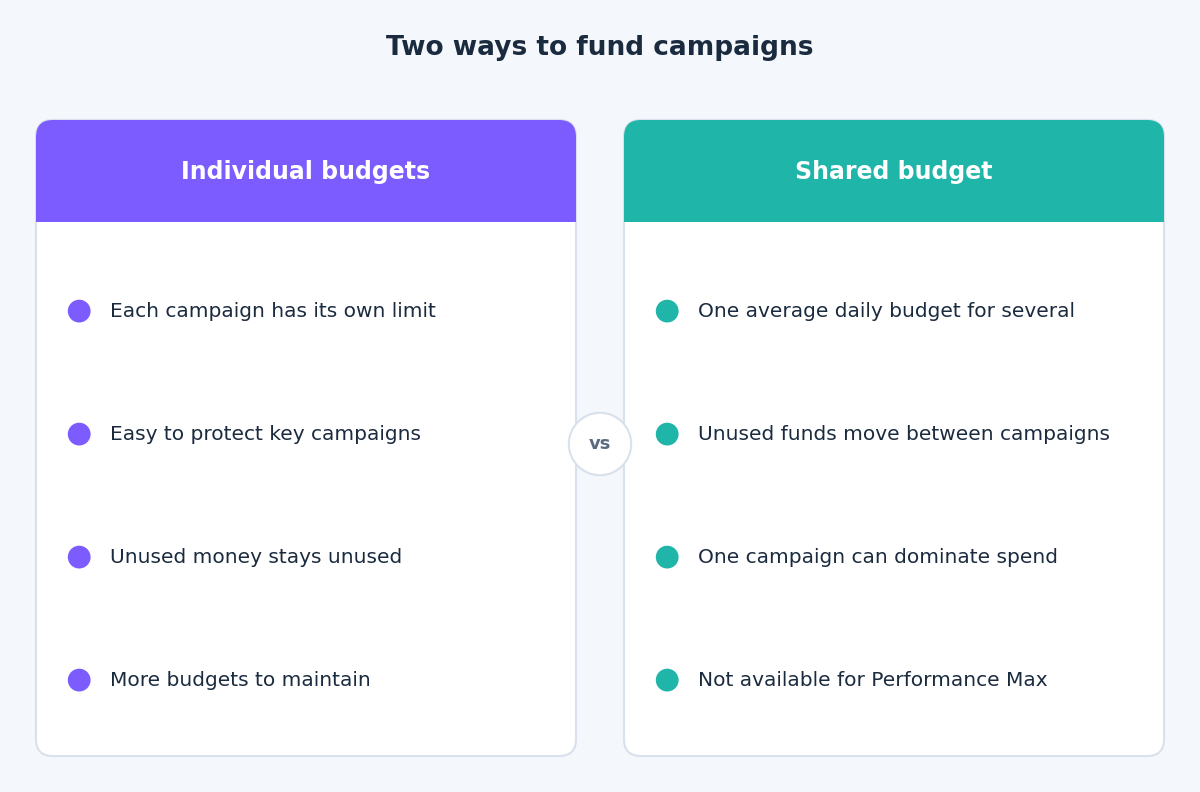
A shared budget is a single average daily budget used by several campaigns. Google’s help page on shared budgets says the system redistributes unused funds, so if one campaign spends less than its share, another campaign can use the rest. It lists Search, Shopping, Display and Video campaigns as supported, and App and Performance Max campaigns as not supported.
This suits campaigns with similar goals and similar value, especially when paired with a portfolio bid strategy. It suits them badly when their economics differ. A brand campaign and a broad prospecting campaign in one shared budget can let the cheaper, faster-converting one absorb most of the money while the strategic one starves.
Use individual budgets for anything you must protect, and reserve shared budgets for groups that are truly interchangeable.
Campaign total budgets
Google’s announcement of campaign total budgets describes an alternative for time-limited pushes. You set a fixed budget across a period, from a few days to several weeks, and Google aims to use it fully by the end date. The post presents the option for Search, Performance Max and Shopping campaigns as an open beta, after it was available for Demand Gen and video campaigns.
It fits a launch, a sale or a seasonal push with a known end date. It does not replace daily budgets for always-on campaigns, and availability may vary by account, so check what you can see in your budget settings.
A weekly budget control routine
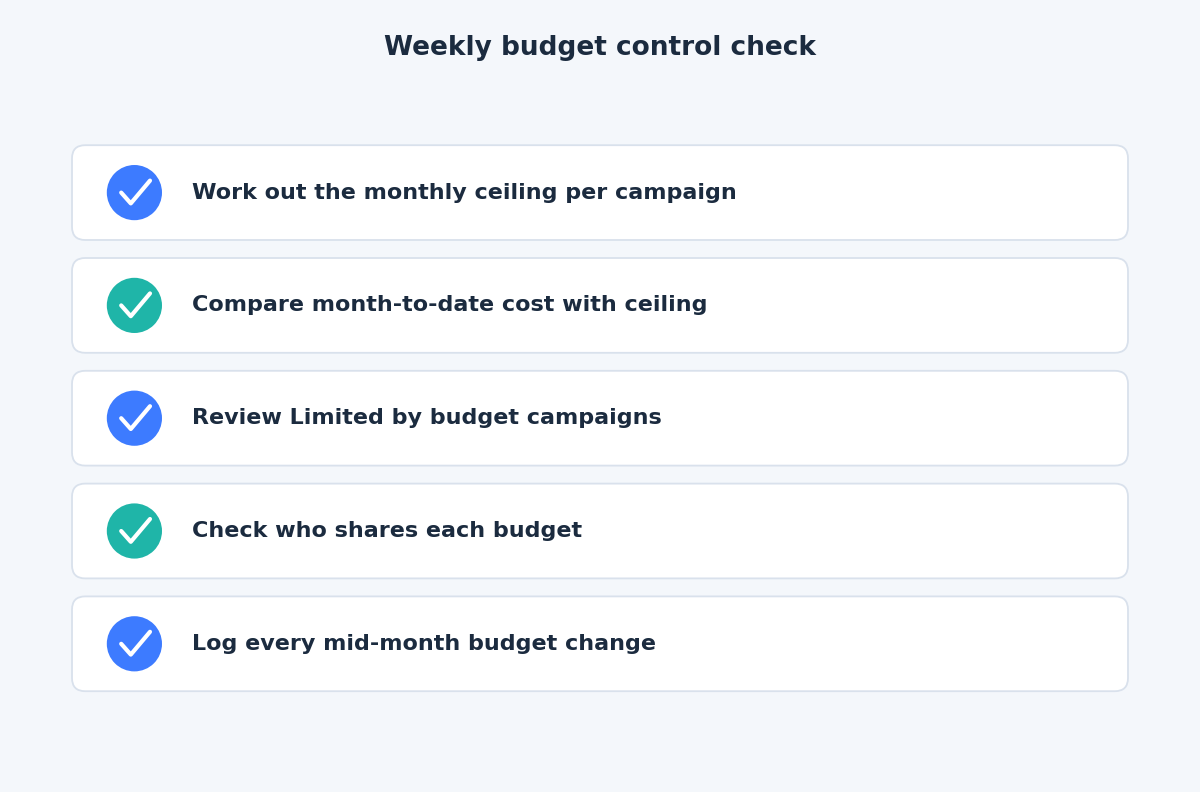
- Work out the ceiling. Multiply each average daily budget by 30.4 and record the result.
- Compare month-to-date cost with the ceiling. If a campaign is well ahead of the month’s pace, find out whether a traffic rise or a recent change explains it.
- Review Limited by budget campaigns. Google’s help page on that status explains that recommended budgets are based on recent performance, the current budget, keyword list and targeting. Treat them as prompts to review, not orders.
- Check shared budgets. Look at how spend splits between campaigns and whether one is dominating.
- Log changes. Note the date and the reason for any budget change.
The takeaway
Plan around the monthly limit, expect uneven days, change budgets deliberately and keep strategic campaigns off shared budgets. If you would like a second pair of eyes on how your account spends, get in touch through the contact page and we can review it together.
Related reading
- Smart Bidding targets after the August update: how to set targets that hold.
- The Google Ads audit: nine expensive mistakes you can find in an hour.
- Data-driven attribution and conversion lag: why recent days look weak and when to judge results.