Once the Conversions API is running next to the Meta Pixel, two things can go wrong. Meta may count the same purchase twice, or it may receive a server event it cannot connect to any person. The first inflates your numbers. The second wastes the server event.
Both problems come down to whether the two data streams agree. This post covers the fields that make them agree: the event ID, the browser identifiers fbp and fbc, and the hashed customer information that drives Event Match Quality.
Deduplication starts with two matching fields
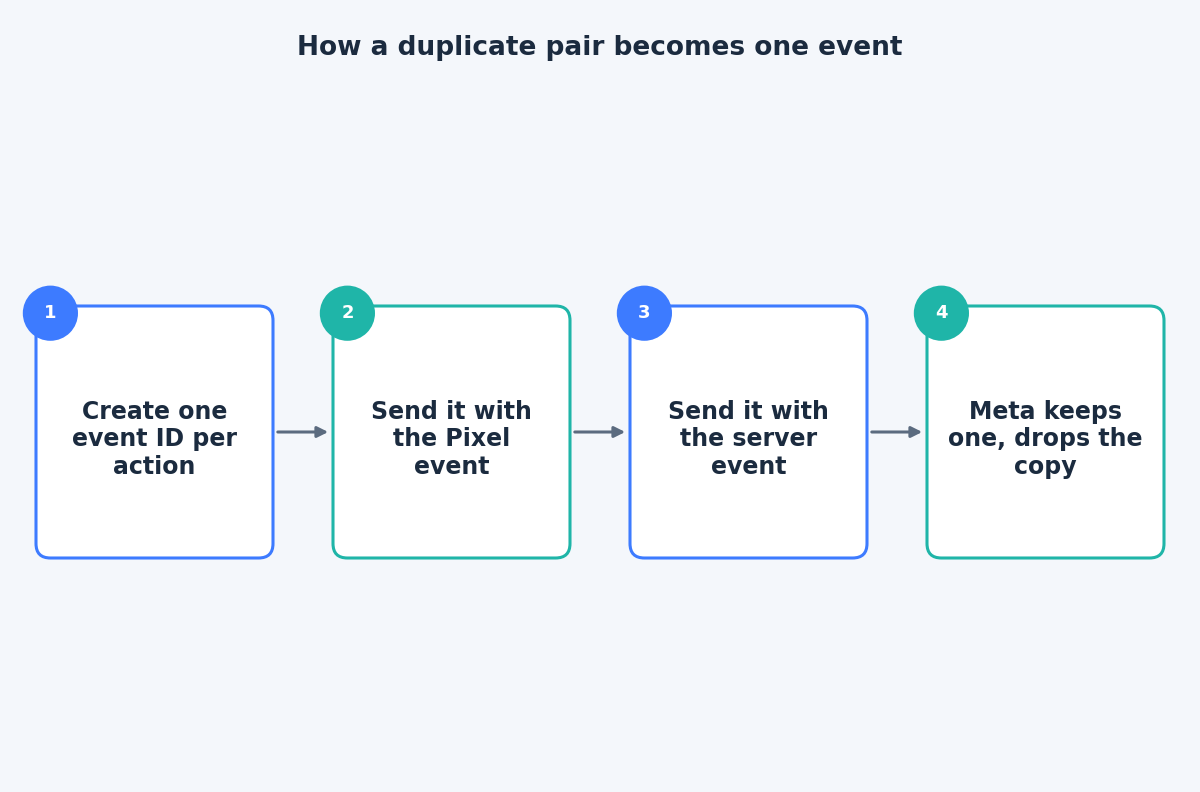
Meta’s deduplication documentation sets two conditions. In corresponding events, the Pixel’s eventID must match the Conversions API’s event_id, and the Pixel’s event name must match the API’s event_name.
If either differs, even by capitalisation or a stray suffix, Meta has no reason to treat the two as one action. Two typical failures are a Pixel that sends Purchase while the server sends purchase, and an event ID generated separately in the browser and on the server, so the values never meet.
Generate the ID once, at the moment of the action, and pass the same value to both paths. An order number can work for purchases if it is unique and available to both. For events without a natural ID, create a random one in the browser and hand it to the server with the request.
What the 48-hour window and the fallback mean
The same documentation says events are only deduplicated if they are received within 48 hours of when Meta receives the first event with a given event_id. Outside that window, server events are not discarded just because a browser event was missing.
There is also a fallback that uses event_name together with fbp and/or external_id, used consistently on browser and server events. The documentation notes that this fallback only works for events sent first from the browser and then through the server. It is a safety net, not a replacement for a proper event ID.
fbp and fbc: pass them on, do not rebuild them
The fbp and fbc values come from cookies. Per Meta’s customer information parameters page, fbp is a browser ID in the form fb.{subdomain_index}.{creation_time}.{random_number}, and fbc is a click ID built from the fbclid in the landing page URL in the form fb.{subdomain_index}.{creation_time}.{fbclid}.
Meta’s best practices add that these values can change, so if you send them you should refresh them regularly. The practical rules are:
- Read them at the time of the event, not from an old stored copy.
- Never hash them. Meta lists
fbpandfbcamong the parameters that must not be hashed. - Do not edit or reformat them. A changed value is worse than a missing one.
- Save
fbcearly. If the visitor arrives with anfbclidand converts later in a different request, capture the value on the first page so the server can use it.
Hashing customer information correctly
Customer information parameters such as email (em), phone (ph), first and last name, date of birth, city, state, zip code and country are sent hashed with SHA-256. Before hashing, the documentation says to trim leading and trailing spaces and convert all characters to lowercase, with additional rules for phone numbers and names.
Some values must not be hashed at all. The documentation states that client_user_agent must never be hashed, and it also lists client_ip_address, fbc and fbp among parameters that are sent as they are.
Skipping normalisation is the most common quiet mistake. An email with a capital letter or a trailing space produces a different hash, and Meta cannot match it.
Event Match Quality: what the score measures
In Events Manager, Meta shows an Event Match Quality score for events received through the API. Meta’s Dataset Quality API documentation describes it as a score out of 10 indicating how effective the customer information sent from your server may be at matching event instances to a Meta account.
Meta’s best practices say that sending additional customer information parameters may help increase it. Treat the score as guidance, not a target to game. A high score built from parameters that were guessed or stale does not help delivery, while a modest score built from accurate email and phone data does.
Test it in Events Manager
Before trusting the setup, use the Test Events tool. When you send server events with a test_event_code, they appear in Events Manager so you can check the event name, parameters and source. Meta notes that the code is for testing only and must be removed from the production payload, and that test events are not filtered out of your data.
A short test routine:
- Trigger one purchase or lead on the live site with the Pixel active.
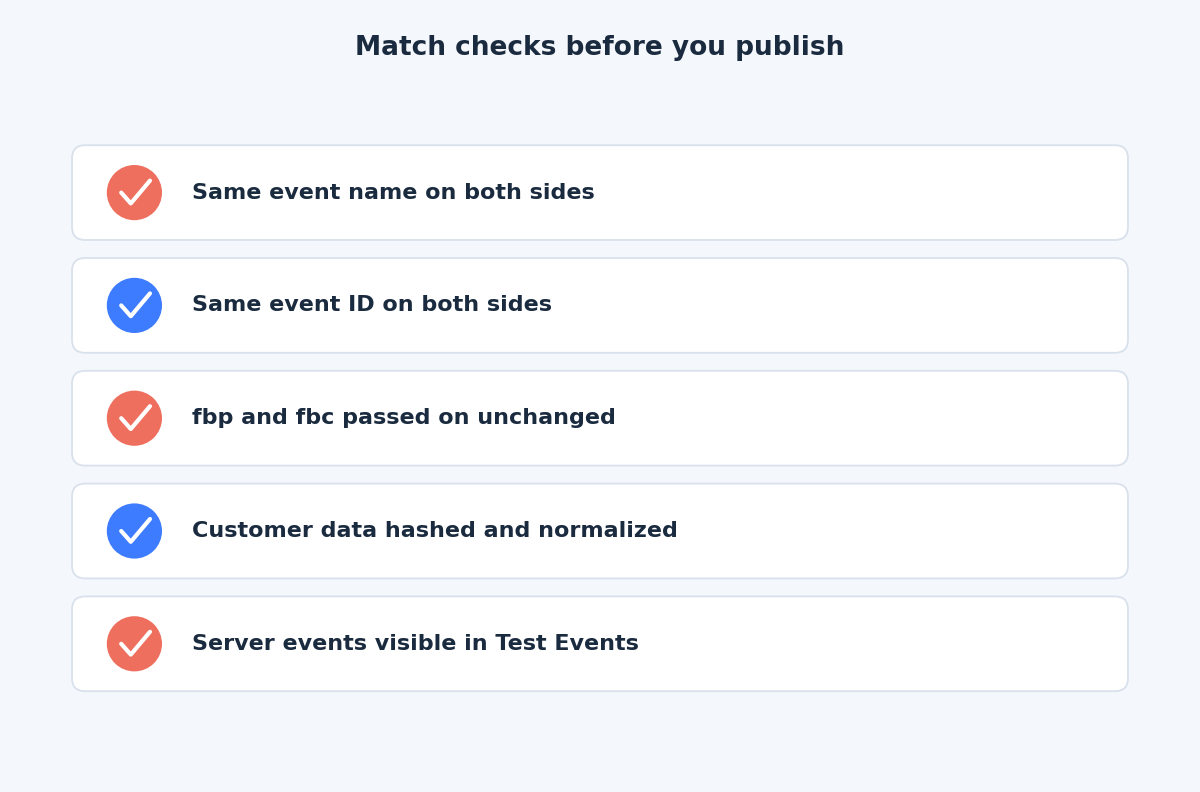
- Confirm the browser event and the server event both appear with the same name and ID.
- Check that customer information parameters are present and the score is reasonable for the data you collect.
- Remove the test code, deploy, and check again with normal traffic.
The takeaway
Redundant tracking only pays off when the browser and server copies agree: same event name, same event ID, unchanged fbp and fbc, and correctly hashed customer data. If you would like a second pair of eyes on how your Pixel and server events line up, reach out through the contact page.
Related reading
- What the Conversions API adds to the Meta Pixel: why Meta recommends running browser and server events together.
- A Meta tracking data-quality audit: what to check in Events Manager.
- Sending CRM and offline events to Meta: which lifecycle stages to send and how to time them.