Lead ads on Meta are very good at one thing: getting people to submit a form with almost no effort. That is also their weakness. When the form is one tap away and pre-filled with profile data, the cheapest leads are often people who never intended to buy.
The good news is that quality is something you can steer. It comes from four places: the form itself, the speed of your follow-up, the way you measure, and the feedback you send back to Meta. None of them needs a bigger budget.
Choose the form type deliberately
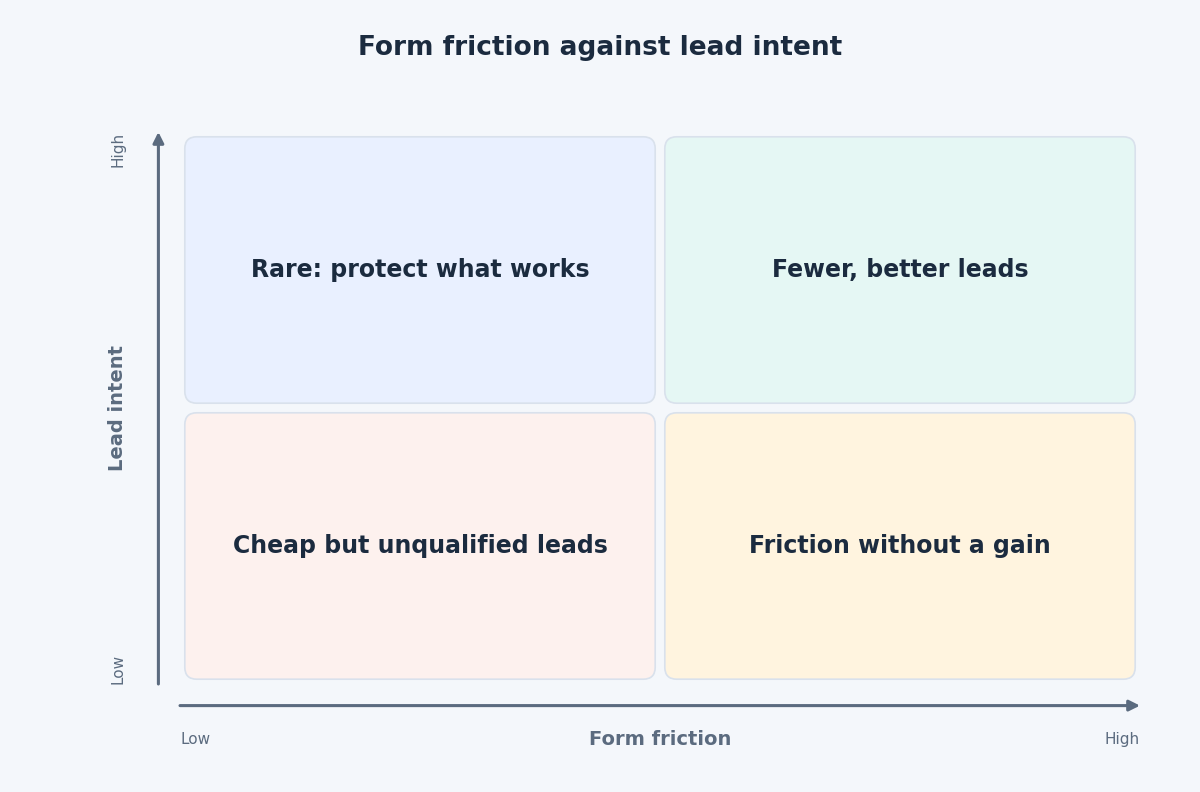
Meta’s instant form types give you a basic choice between volume and intent. The volume-oriented type makes submitting as easy as possible. The higher-intent type adds a review step, where the person checks and can edit their details before sending. That extra moment filters out accidental taps and people who did not mean to submit.
Expect the trade-off. A higher-intent form usually produces fewer leads at a higher cost per lead. The right question is not which form is cheaper per lead? but which form is cheaper per qualified lead? You can only answer that once you have looked at what happens after the form, which we come back to below.
Use custom questions to let people filter themselves
Every field is a small gate. Used well, the gates are the ones that separate buyers from browsers.
- Ask one to three qualifying questions. Good ones are about budget range, timeframe, location, company size or which service they need.
- Prefer multiple choice. It is quicker to answer, easier to sort in a CRM, and it avoids vague free-text answers.
- Match questions to your sales criteria. If you only take projects above a certain size, ask about it. Do not collect data nobody uses.
- Ask for a phone number only if you will call. A number nobody dials only adds friction.
- Set expectations on the form. Use the intro and the thank-you screen to say what happens next and roughly what the service costs. Some people will leave, which is the point.
During 2025 Meta has been adding quality options to instant forms, and trade press coverage since March has described options such as turning off autofill for email and phone fields and requiring SMS verification. Rollouts vary between accounts, so check which options your form offers. Each barrier lowers volume, so add them one at a time and compare results.
Follow up fast
A lead is not a customer until someone speaks to them. The longer a lead waits, the less likely they are to remember the form they filled in during a scroll. Your speed of response is part of lead quality, because a slow reply turns a good lead into a bad one.
Meta’s lead ads guide for developers describes three ways to receive leads: bulk reads through the API, webhooks for real-time delivery, and the Leads Center in Meta Business Suite. For most businesses the practical setup looks like this:
- Send leads to your CRM automatically. Do not rely on downloading a spreadsheet.
- Alert the person who will call. A phone notification or email within minutes is enough.
- Set a response target and measure it, for example the share of leads contacted within an hour.
- Use the same first message every time, referring to what the person asked for on the form.
- Review the misses. Once a week, read the leads that were never reached or never qualified and ask whether the cause was the form, the ad or your own response time.
Measure cost per qualified lead
Cost per lead is a supplier metric. What the business cares about is cost per qualified lead, and eventually cost per customer. To get there, label each lead in your CRM with its stage and its source: campaign, ad set, ad and form. Then compare forms and ads on the share that reach a qualified stage. You will often find that the cheapest ad gives the weakest leads, and that a more expensive one gives leads worth twice as much.
Send qualified-lead feedback back to Meta
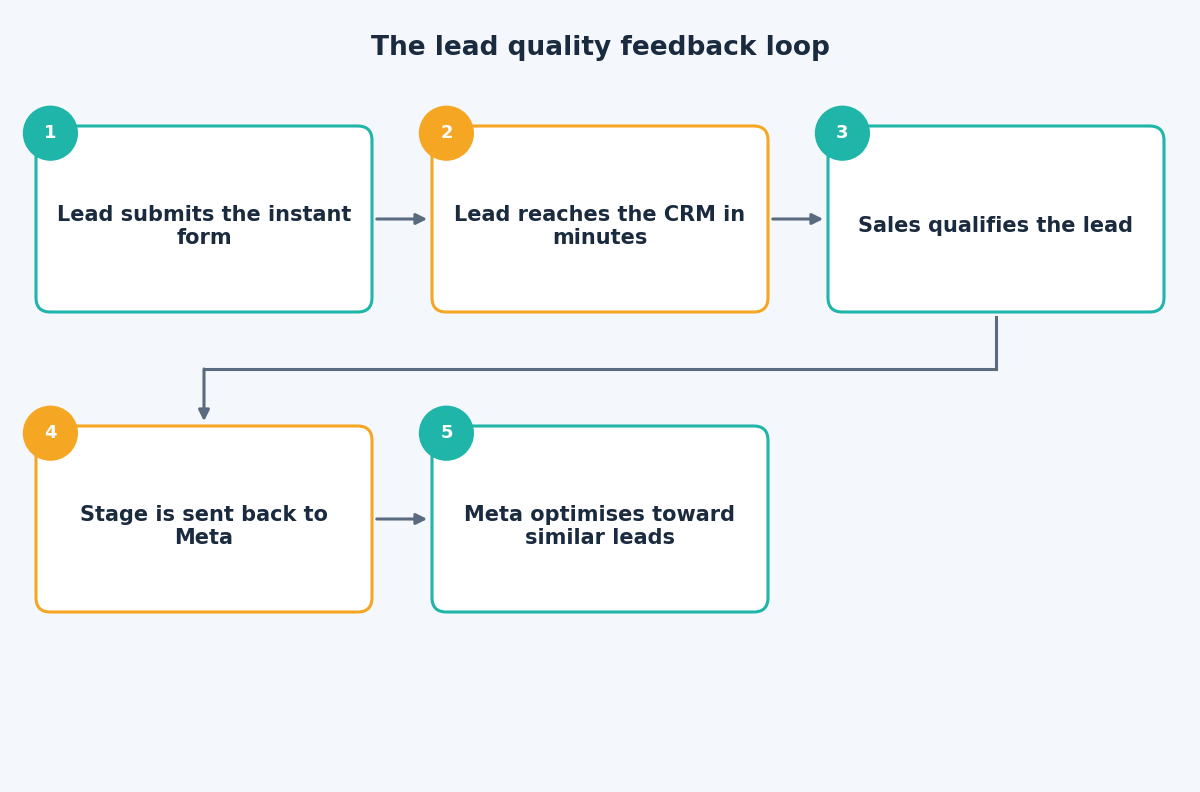
Meta can only optimise toward what it sees. If the only signal is “form submitted”, it will look for people who submit forms. The Conversions API for CRM is designed to close that gap. As Meta’s documentation describes it, leads flow from Meta into your CRM, and later stages flow back using the lead ID, so that the Conversion leads performance goal can optimise for leads that progress rather than for submissions alone.
A few practical points before you start:
- Read the requirements first. The documentation lists volume and timing conditions. If your lead volume is low, you may not qualify yet.
- Choose stages with enough volume. “Closed won” may be too rare to learn from. A stage such as “qualified” or “meeting booked” usually gives more signal.
- Keep the Meta lead ID in your CRM. It is the key that links a lead to the ad that produced it.
- Send updates at least daily, and keep stage definitions consistent so the signal means the same thing over time.
The takeaway
Better leads come from a form that lets the wrong people leave, a team that responds quickly, and a CRM that tells Meta which leads were worth having. If you would like help connecting your lead ads to your sales pipeline, get in touch through the contact page and we can map it out.
Related reading
- Sending CRM and offline events to Meta: which lifecycle stages to send and how to time them.
- Reliable form and lead tracking in GTM: why built-in triggers fail and what to use instead.
- Creative diversification on Meta: why distinct concepts beat variations.