“Should we set up server-side tagging?” is a question we hear often, and it often mixes two separate decisions. One is whether to send Meta events from a server at all. The other is how to do it.
The first question has a fairly clear answer for most advertisers who care about measurement: run the Conversions API next to the Pixel. The second has several answers, and a GTM server container is only one of them. This post compares the main options so the choice fits your business, not the tooling trend.
The options on the table
Meta says there are several ways to integrate with the Conversions API and that they vary by effort, cost and features. In broad terms you can choose:
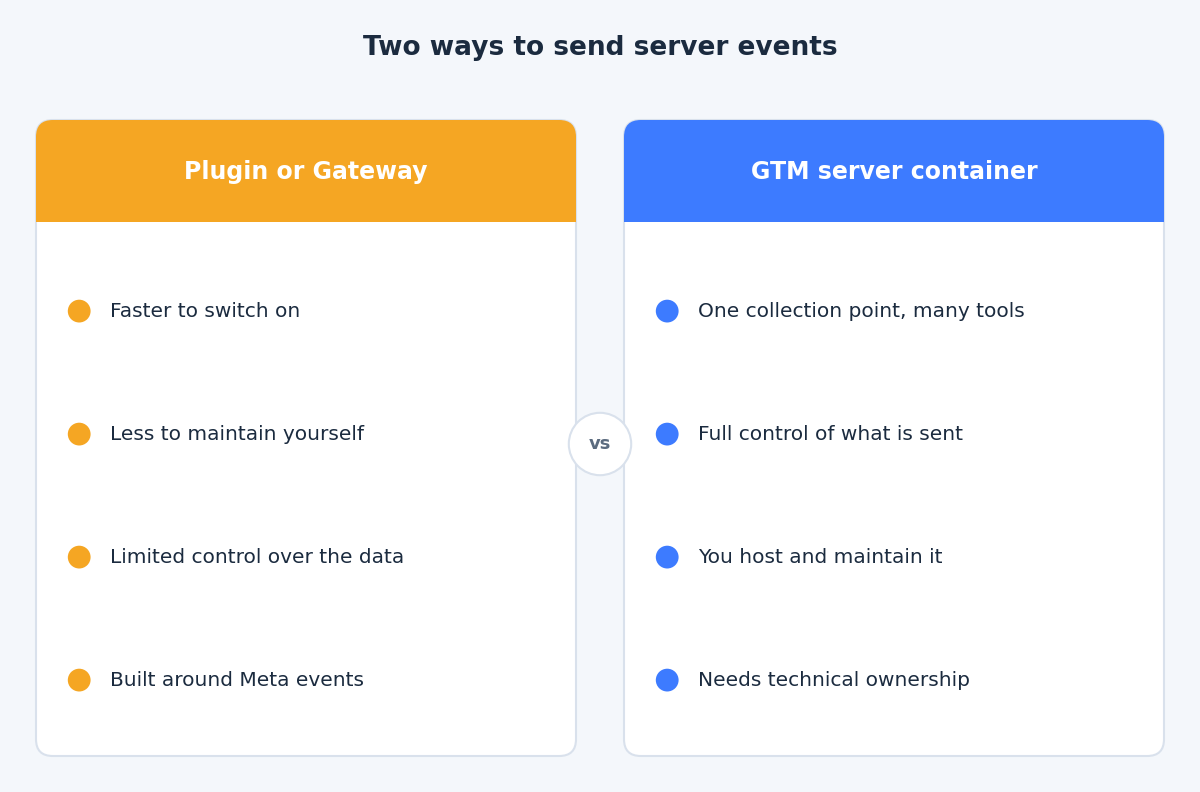
- A platform or partner integration. Many ecommerce platforms and marketing tools offer a Conversions API connection you enable in settings. Meta publishes a help page called Compare Conversions API Setup Options that lays out the choices.
- The Conversions API Gateway. According to Meta’s Gateway documentation, this is a self-serve configuration tool in Events Manager. It runs on a cloud provider in your own account, and it sets up the Pixel and the Conversions API together with deduplication keys generated for you.
- A GTM server container. A server-side Google Tag Manager container receives data from your site and forwards it to Meta, and to other tools, using tags and clients.
- A direct integration. Your developers send events from your backend straight to Meta’s API. This suits businesses whose important events already happen in their own systems, such as an order database or a CRM, and who have developers to build and monitor the connection.
What a GTM server container adds
Google describes server-side tagging as a way to instrument tags to measure user activity wherever it happens. Server containers use the same tag, trigger and variable model as web containers, and Google lists better page performance, more detailed privacy controls and improved data quality as the goals. You can host the container on Google Cloud (Cloud Run or App Engine) or on a platform of your choice.
For Meta, Meta’s own guide to the Conversions API with server-side GTM describes a flow where GA4 tags in the browser feed a server container, and a Conversions API tag in that container converts the event and sends it to Meta. It requires GA4 web and server containers, a Pixel ID and an access token, and a server container hosted on Google Cloud or another provider.
That gives you three real advantages:
- One collection point for several destinations. The same incoming event can feed GA4, Google Ads and Meta, so the data stays consistent across tools.
- Control over what leaves your site. You can add, remove or transform fields, and apply consent decisions in one place.
- Room to enrich. You can attach first-party data, such as a hashed email captured at checkout, before the event goes out.
What it costs you
A server container is infrastructure. Someone has to create it, map a first-party domain, keep it running, watch for errors and update tags when Meta or your site changes. The hosting is billed by your cloud provider, and the amount depends on your traffic and configuration, so we will not quote a figure here. Check your provider’s current pricing page and estimate from your own event volume.
Meta’s Gateway page states that the only cost of the Gateway is the associated cloud resource or partner fees. The same logic applies to any route that runs in your cloud account: the software may cost nothing, but the running cost and the time to maintain it are real.
When a GTM server container is worth it
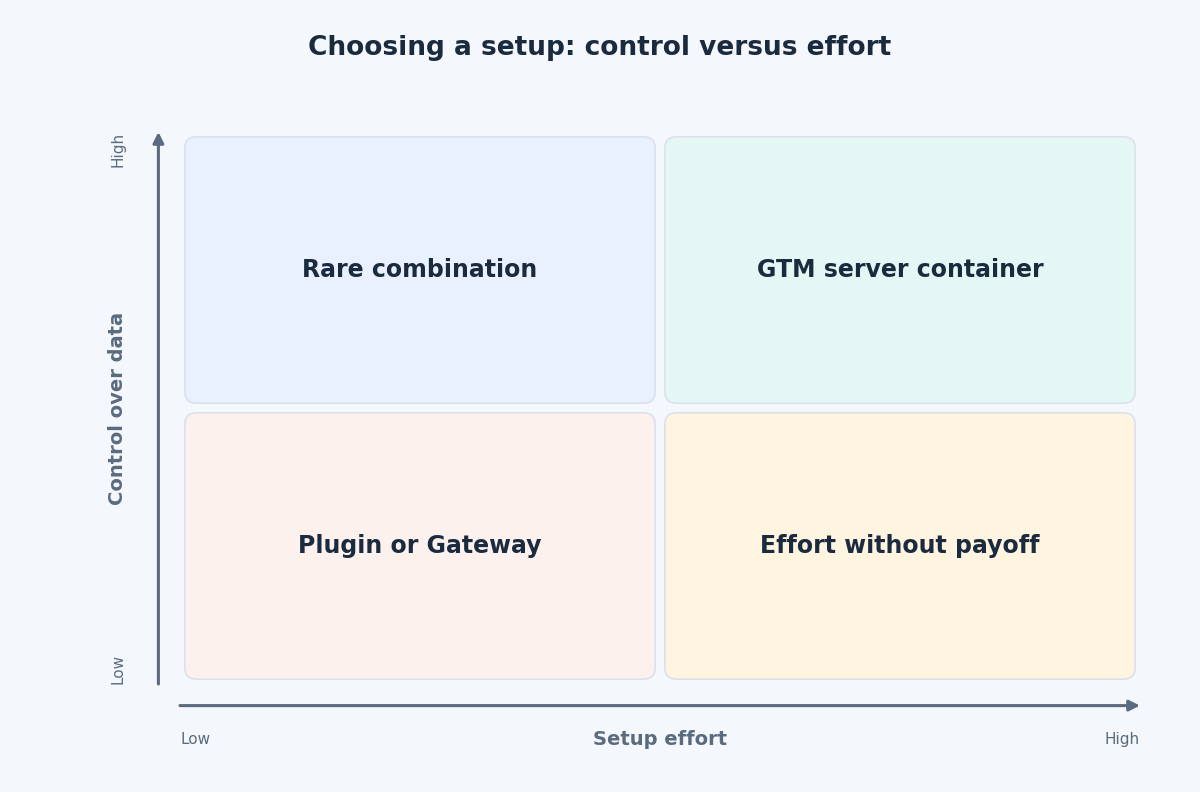
It tends to pay off when several of these are true:
- You already run GTM and send data to more than one platform.
- You need control over consent handling, or over which fields are shared.
- You want to enrich events with data from your own systems.
- You have, or can hire, someone who will own the container after launch.
- Your ad spend is large enough that measurement gaps cost more than the setup and running effort.
When a simpler route is enough
A platform plugin or the Gateway is often the better choice when:
- Your store runs on a platform with a maintained Meta integration and your tracking needs are standard.
- Meta is your only destination that needs server events.
- Nobody on the team will maintain a server container.
- You want a working redundant setup quickly and can accept less control.
A useful test before you decide: write down every tool that needs the same event, who will maintain the setup in a year, and what happens to your reporting if it breaks on a Friday evening. If the real answers are “just Meta”, “nobody” and “we would not notice for a week”, start with the simpler route and revisit later. Nothing stops you from moving to a server container once the need is real.
Whichever route you choose, the fundamentals do not change. Send the same events as the Pixel, share an event_id so Meta can deduplicate, include customer information parameters where you have consent, and test in Events Manager.
The takeaway
Server events are worth having. Whether they come from a plugin, the Gateway or a GTM server container depends on how many tools you feed, how much control you need and who will look after the setup. If you are weighing these options for your own site, get in touch through the contact page and we can work out the lightest setup that meets your needs.
Related reading
- What the Conversions API adds to the Meta Pixel: why Meta recommends running browser and server events together.
- Sending CRM and offline events to Meta: which lifecycle stages to send and how to time them.
- Event Match Quality and deduplication: making Pixel and Conversions API events agree.