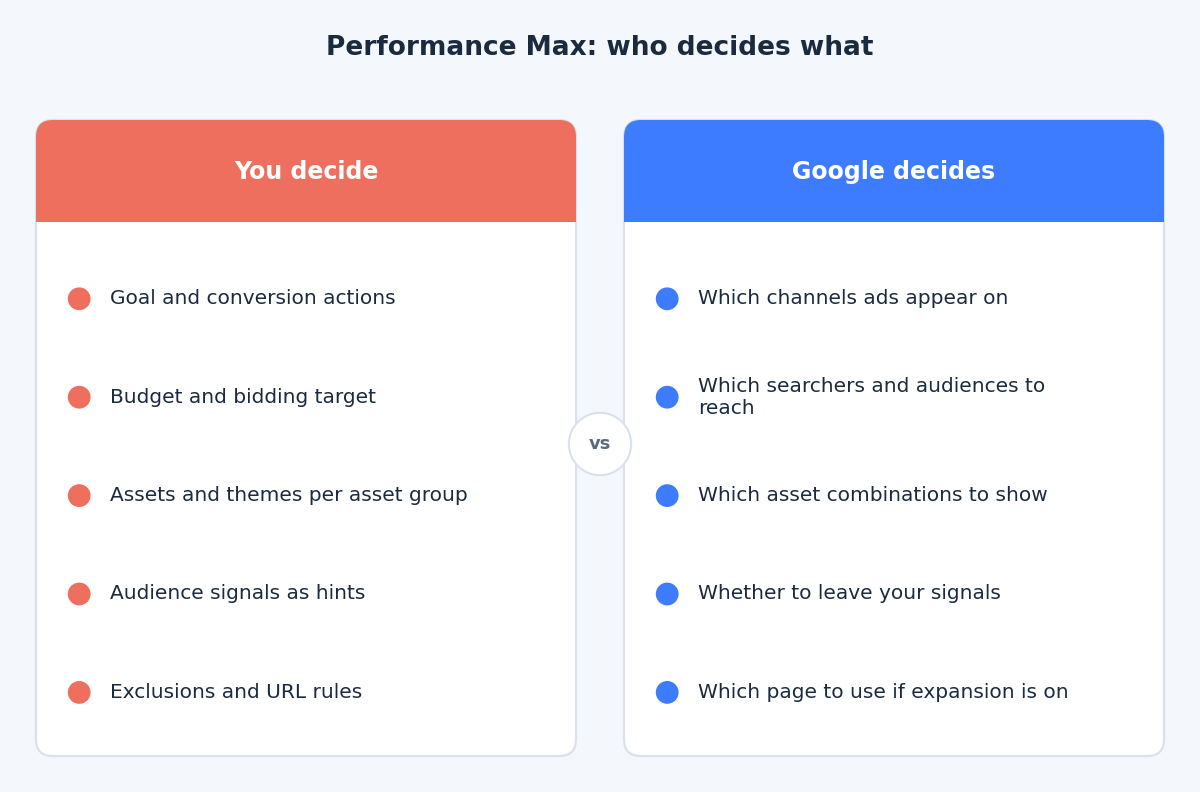
Performance Max is sold as one campaign that reaches all of Google’s inventory. The trade is that you give up most of the manual levers you may be used to, such as keywords, channel budgets and placements per campaign.
That does not mean you have no say. It means the controls sit in different places, and some of them are easy to misread. This post covers what asset groups, audience signals, final URL expansion and exclusions really do, based on what Google’s documentation says about each one.
An asset group is a theme, not an audience
Google describes Performance Max asset groups as collections of creative assets, such as images, text, logos and videos, centred on a specific theme or target audience. In practice, the theme is the more useful way to think about it.
Group by what you are selling, for example a product category, a service line or a single offer, because that is what your headlines, images and landing page can actually speak to. If two products need different messages, different pages or different economics, they deserve separate asset groups. If they only differ by “who might buy”, one asset group with good signals is usually enough.
Two cautions. Every asset group needs enough varied assets to give the system something to combine, so ten thin groups tend to be worse than three complete ones. And each asset group carries its own final URL, so a group about running shoes should land on running shoes, not the homepage.
Audience signals are hints, not targeting
This is the most misunderstood control. Google’s help page on audience signals says they are suggestions that help Google AI optimise for the goals you select, and adds that Performance Max may show ads to relevant audiences outside your signals if they have a strong likelihood of converting.
So a signal is a starting point for learning, not a fence. The types you can add include:
- First-party data. Customer lists, website visitors and app users. These are usually your strongest hint because they describe people who already bought.
- Custom segments. Keywords, URLs and apps that describe your ideal customer’s interests.
- Demographics. Characteristics you can add as extra context.
- Google segments. Interests, in-market and life event audiences.
Search themes work in the same spirit. Google describes them as optional and additive, not a restriction. If you need a hard limit on who sees your ads, Performance Max is the wrong tool for that job.
Final URL expansion: automation with a guardrail
When final URL expansion is on, Google can replace your final URL with a more relevant page from your site based on the search query, and it can create a matching dynamic headline. Google’s help page on final URL expansion says the feature is on by default and that you can switch it off in the campaign settings. Google’s Performance Max overview adds that you stay responsible for reviewing the accuracy of dynamically generated assets and landing page content.
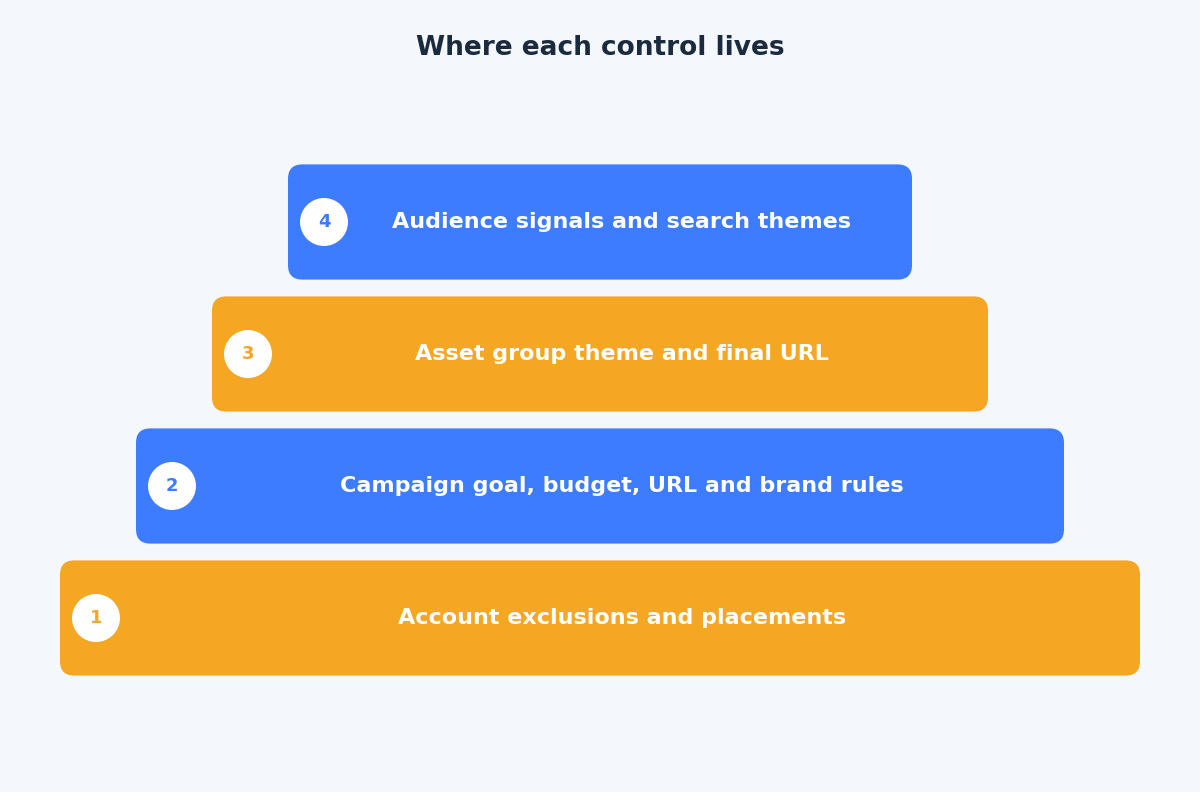
If you leave it on, you can still steer it. Google documents URL exclusions (specific URLs, URL rules and custom labels) and page feeds that help the system understand which pages matter. One limit to know: the campaign’s own final URL cannot be excluded, so pick a sensible landing page before you exclude your homepage.
Review the landing pages that actually receive traffic after a couple of weeks. Blog posts, careers pages and login pages are the usual surprises.
Exclusions available at the time of writing
The set of exclusions has grown, so it is worth being precise about what you can actually use at this point.
- Brand exclusions. Google announced brand exclusions for Performance Max in 2023. Per Google’s brand suitability page, they apply to Search and Shopping inventory and stop the campaign serving on brand queries you choose to avoid.
- Account-level negative keywords. These apply across Search and Shopping campaigns and to the Search and Shopping portion of Performance Max. They are meant for terms that should never trigger any campaign.
- Placement and content exclusions. Set at account level, these cover where and next to what your ads can appear on Display and video inventory.
- URL exclusions. As above, for the pages you do not want expansion to use.
Campaign-level negative keywords are a different story. Google has only just started rolling them out in beta, and access is limited, so do not build a plan around them yet. Until they reach your account, the account-level list and brand exclusions are the tools you can count on.
A sensible setup order
- Fix measurement first. Check that the conversion actions the campaign optimises for are the ones you would pay for.
- Define asset groups by theme. Write assets and choose the final URL for each theme before touching signals.
- Add your best signals. Start with customer lists and converter audiences, then add custom segments if you have a clear hypothesis.
- Set exclusions. Add brand exclusions if you need brand and non-brand results kept apart, and check your account-level negative list.
- Review after a full conversion cycle. Judge the campaign on conversions and cost per conversion, not on whether the traffic “matches” your signals.
The takeaway
Treat Performance Max as a system you brief, not one you steer. Themed asset groups, honest hints and a short list of exclusions do more than trying to force targeting that the campaign type does not offer. If you want help setting up or reviewing a Performance Max campaign, get in touch through the contact page and we can look at it together.
Related reading
- Google Ads account structure in 2026: fewer campaigns, stronger signals.
- The Google Ads audit: nine expensive mistakes you can find in an hour.
- Enhanced conversions for web: setup methods and diagnostics for hashed first-party data.