For lead generation, the Pixel usually reports one thing: a form was submitted. It cannot see that the lead was a poor fit, that a salesperson qualified another one, or that a third became a paying customer six weeks later. Meta’s delivery system optimizes toward whatever it is told, so it learns what a lead looks like, not what a good lead looks like.
The Conversions API can carry those later outcomes back from your CRM. This post covers which events to send, what data to include so Meta can match them, and how the timing rules affect the design.
Why send CRM events at all
Meta’s Conversions API overview says the API connects marketing data from servers, websites, apps and CRMs to Meta’s systems for targeting, cost per result and measurement. Sending lifecycle events gives you two things: reporting that reflects business outcomes, and a stronger signal for optimization than a raw form fill.
It does not guarantee better lead quality. It gives the system more accurate information to work with, and only if the events are matched and sent on time.
A note on the older Offline Conversions API
If you have seen guides that mention the Offline Conversions API and offline event sets, check their date. Meta deprecated that separate API in favour of sending offline events through the Conversions API. The error message returned by later API versions reads: “Offline Conversions API is deprecated from v17 onwards. Please use Conversions API.” It is quoted in a Meta developer community thread, which also says version 16 supported the old API until the third quarter of 2024.
For any build, use the Conversions API. If you still have an old uploader running, treat migrating it as a priority, not a cleanup task.
Decide which lifecycle stages to send
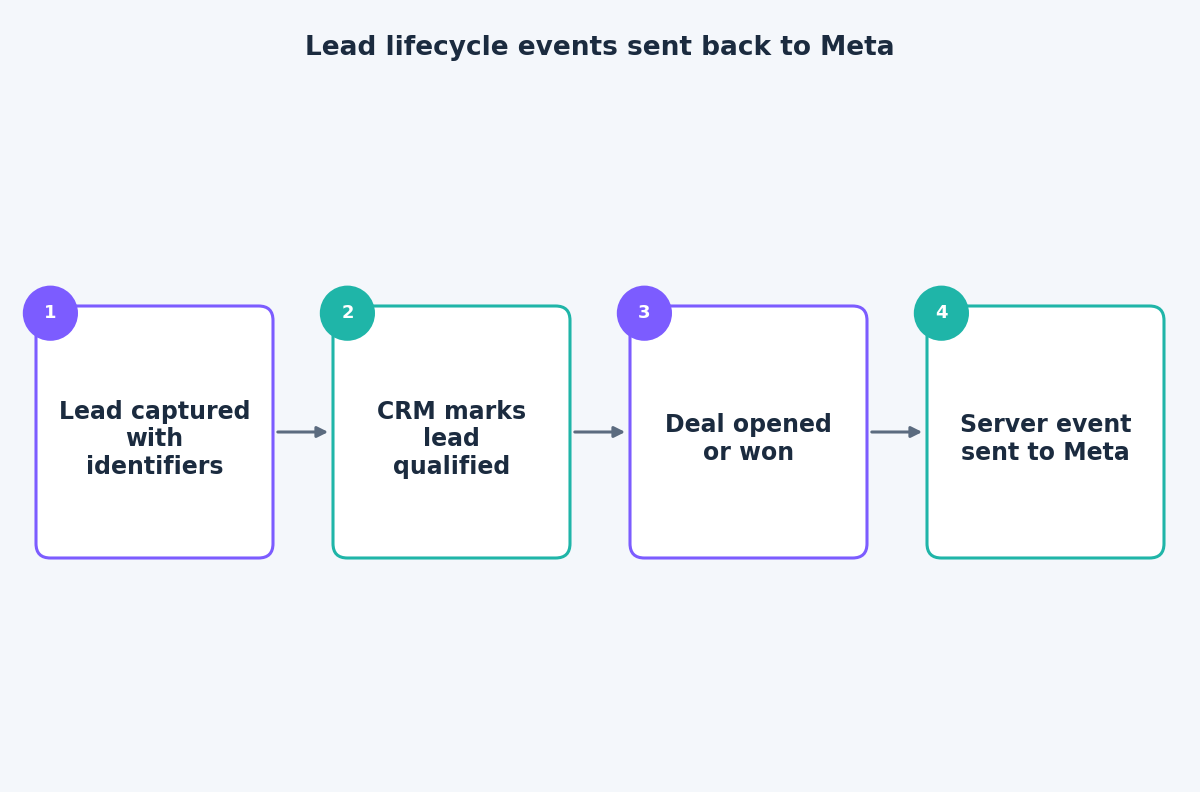
More stages are not always better. Each stage you send should be something you would be happy to see Meta optimize toward. A common lifecycle looks like this:
- Lead. The form submission, usually still sent from the browser and the server as a redundant pair.
- Qualified lead. The moment your team confirms budget, need or fit.
- Opportunity or meeting booked. A stronger commitment signal, for businesses with a longer sales cycle.
- Won deal or purchase. The outcome that pays the bills, with value and currency.
Use standard event names where they fit, and custom names where they do not. Keep the names consistent, because the same stage under two spellings becomes two events in reporting.
If a stage is rare, such as a handful of closed deals a month, it may be too sparse to optimize on. In that case send it for reporting and optimize on the earlier stage that has enough volume.
Capture identifiers when the lead arrives
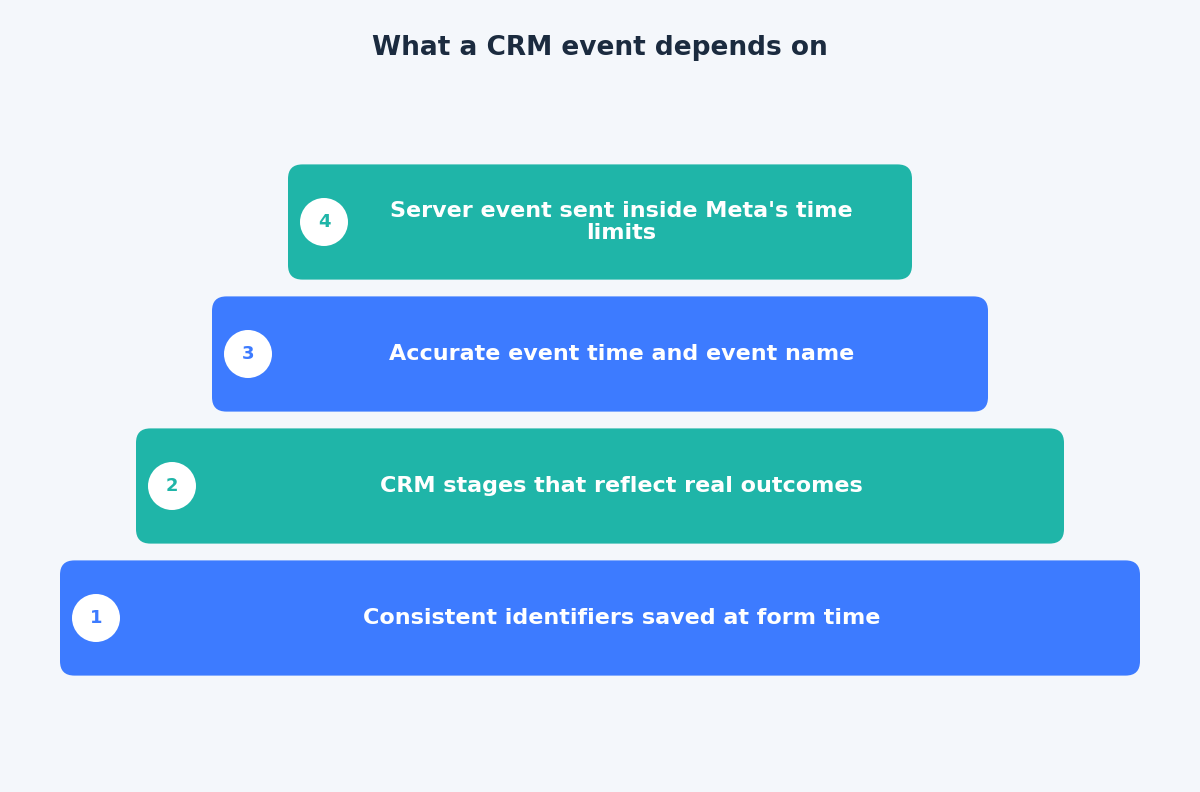
Matching is where most CRM setups succeed or fail. Meta needs to connect the CRM event to a person who interacted with your ads. According to Meta’s customer information parameters documentation, email and phone are sent hashed with SHA-256 after trimming spaces and converting to lowercase, while fbc and fbp are sent as they are. The same page lists lead_id among parameters that are not hashed, which matters if your leads come from Meta lead forms.
Save these in the CRM at the moment the lead is created:
- Email and phone, exactly as entered, so they can be normalised and hashed later.
fbcandfbpfrom the browser, for website leads.- An external ID, such as your CRM contact ID, used consistently across events.
- The Meta lead ID, if the lead came from a Meta lead form.
Reconstructing fbc or fbp weeks later is unreliable. If they were not saved at submission, plan for them to be missing.
Timing rules that shape the design
Meta’s documentation on using the API sets event_time as a Unix timestamp that can be up to 7 days before you send the event, and says that if any event exceeds this, the whole request returns an error and no events are processed. Meta’s offline events documentation adds that physical store transactions should be uploaded within 62 days of the conversion, and recommends uploading in real time or daily.
This has practical consequences:
- Send events when the stage changes, from a webhook or a scheduled job, not in a monthly export.
- Use the time the stage change happened as the event time. Do not copy the original form date onto a deal closed weeks later, or the event may be rejected.
- Validate batches. An invalid event can cause a batch to be rejected, so log the API responses and alert on failures.
- Set
action_sourceaccurately. Usephysical_storefor in-store transactions, and choose the value that matches where other conversions happened. Meta asks that it be accurate.
Meta suggests sending events as they occur, ideally within an hour, and that is realistic for a CRM webhook.
Test and monitor
Start with a test. Send a few CRM events with a test_event_code, check them in the Test Events tool, and remove the code before going live. Meta notes you should be able to verify events within 20 minutes of sending. After launch, watch match quality and the diagnostics in Events Manager, and compare event counts with your CRM at the same stage.
Also confirm that you have the right to use the data. Sending customer information to Meta needs a lawful basis and appropriate consent under the rules that apply to you, and your privacy notice should say so.
The takeaway
CRM events turn the Conversions API from a browser backup into a feedback loop for lead quality, provided you save identifiers early, send stage changes promptly and stay inside Meta’s timing limits. If you want to plan this for your own funnel, get in touch through the contact page.
Related reading
- How to raise Meta lead ad quality: forms, questions, follow-up and qualified-lead feedback.
- Event Match Quality and deduplication: making Pixel and Conversions API events agree.
- GTM server container vs direct Meta CAPI: when server-side tagging pays off.