Campaign settings get most of the attention in a Meta account audit. The tracking underneath gets far less, even though every optimization decision depends on it. If the events Meta receives are duplicated, unmatched or late, no amount of creative testing fixes the underlying signal.
This audit takes about an hour for a typical setup. It works through Events Manager in the order that usually finds the biggest problems first, and it assumes you run the Meta Pixel and the Conversions API together.
1. Confirm the setup is what you think it is
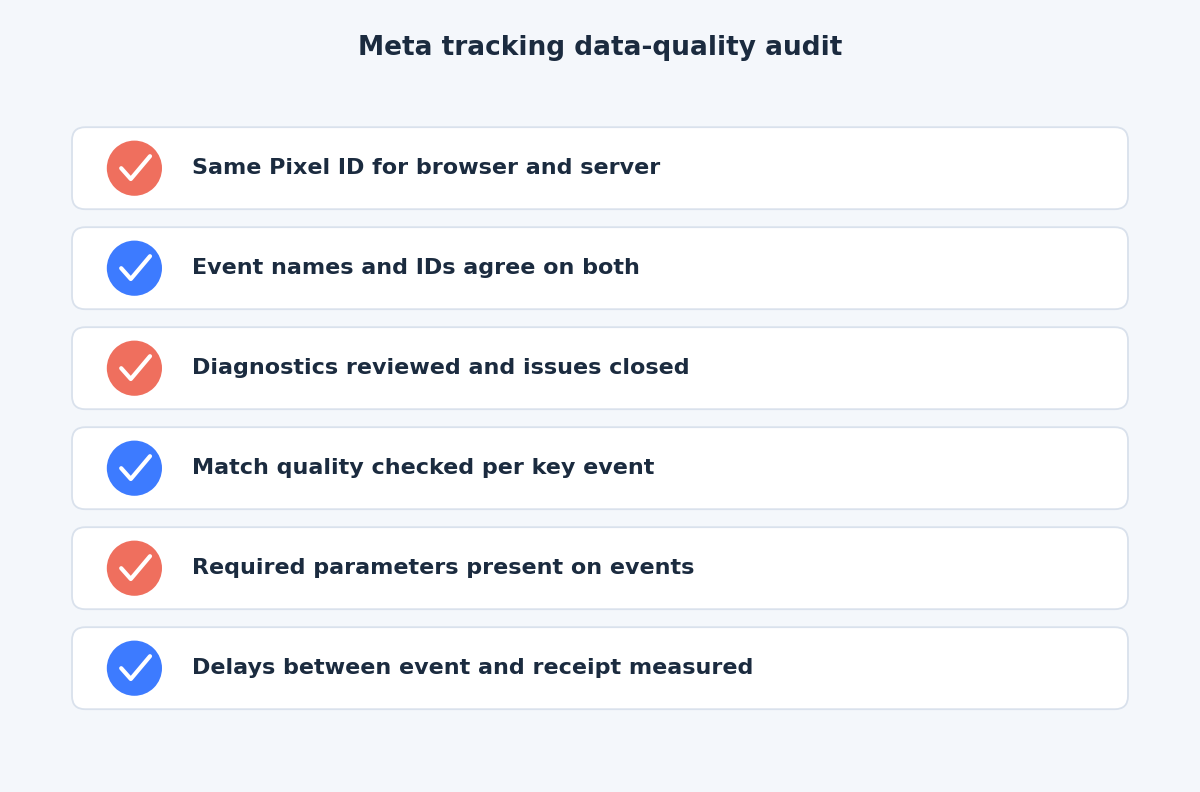
Start with the plumbing. Meta’s Get started documentation recommends using the same Pixel ID for browser and server events if you already have a Pixel on your website. Check that your server events go to the same Pixel as your browser events, not a second one someone created for a test.
Then list which events each path sends. Meta’s best practices recommend using the Conversions API in addition to the Pixel and sharing the same events with both. A common finding is a server feed that covers Purchase but not Lead, or the reverse.
2. Read the Diagnostics tab
Events Manager has a Diagnostics section that lists problems Meta has detected with your data. We cannot promise the exact wording of each issue, because it changes, so read what your own account shows rather than a generic list. Look for:
- Issues flagged as affecting ad delivery or measurement, which you should treat first.
- Events that stopped arriving or dropped sharply.
- Warnings about missing or invalid parameters.
- Anything mentioning duplicate or unmatched events.
Note the date each issue started and compare it with site releases, tag changes or consent banner updates. Most tracking breaks after a change, not at random.
3. Check deduplication
If browser and server both send the same event, Meta needs to merge them. Per Meta’s deduplication documentation, the Pixel’s eventID must match the API’s event_id, and the event names must match. Events are only deduplicated if received within 48 hours of the first event with that ID.
Signs of trouble:
- Purchases in Events Manager well above your order count. Compare against your shop or CRM for the same period.
- Event IDs present on only one side.
- Names that differ in case or spelling.
- A fallback in use where an event ID should exist. The
fbp/external_idfallback only covers events sent first from the browser and then from the server.
Meta’s Dataset Quality API documentation defines event coverage as the 7-day average percentage of Pixel events that are covered by the Conversions API and share deduplication keys with it. If you can access the metric, it shows how many of your events have a partner on the other side.
4. Review match quality and parameters
Event Match Quality is a score out of 10 that indicates how effective the customer information sent from your server may be at matching events to a Meta account, according to the same documentation. Check it for each key event, not just the account overall.
Low scores usually mean a short list of parameters. Meta says sending additional customer information parameters may help, and its examples of high-quality ones include email, phone, name and IP address. Check that:
- Email and phone are sent hashed, after trimming and lowercasing.
client_ip_addressandclient_user_agentare passed and not hashed.fbpandfbcare read fresh and left unchanged.- The data is collected with a lawful basis and consent where required.
Treat a score as a prompt to investigate, not a grade. A low score on an event with little customer information available, such as an anonymous page view, is expected.
Then verify the required parameters. Meta states that website events sent through the API require client_user_agent, action_source and event_source_url, and that action_source must be accurate. For purchases, check that value and currency are present and correct. Compare a few real orders against what Events Manager shows, including tax, shipping and discount handling, so the value matches how you report revenue elsewhere.
5. Measure delays
Meta recommends sending events as soon as they occur, ideally within an hour, and its Dataset Quality API documentation describes data freshness as the delay between when an event occurred and when Meta received it. Some points to check:
- Batch jobs. A nightly export delays every event by up to a day.
- The 7-day limit. Meta says
event_timecan be up to 7 days before sending, and a batch containing an older event is rejected as a whole. - Retry behaviour. If a failed request is never retried, events are silently lost.
- Event time accuracy. It should be when the conversion happened, in Unix seconds, not when your system processed it.
6. Test, fix and recheck
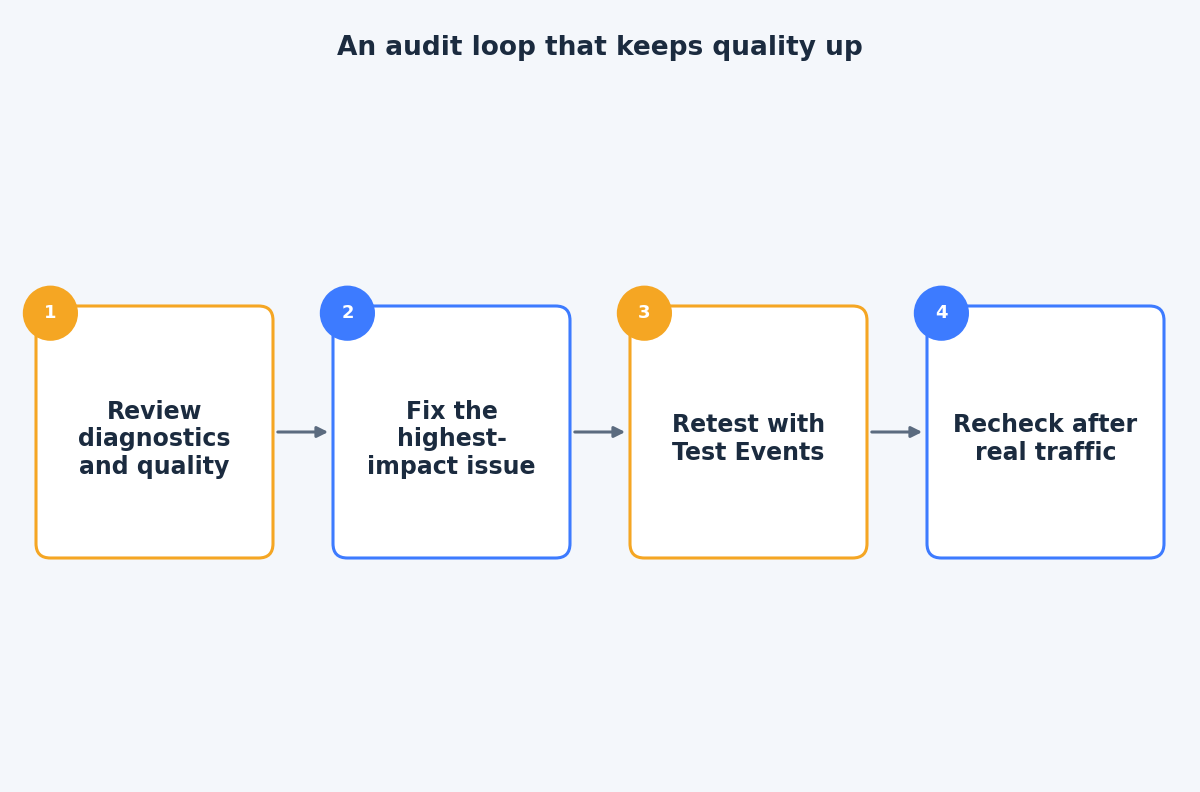
Use the Test Events tool for changes, and note that test events are not filtered out of your data, so remove the test code afterwards. Fix one issue at a time, starting with anything that affects delivery or double-counts revenue. After each change, wait for real traffic and compare Events Manager with your own records.
The takeaway
A tracking audit is a comparison exercise: Meta’s numbers against your own, browser events against server events, and event time against receipt time. Run it after any site or tag change and at least quarterly. If you would like help going through your own Events Manager, contact us through the contact page and we can review it together.
Related reading
- Event Match Quality and deduplication: making Pixel and Conversions API events agree.
- Differences between Facebook and Google Analytics data: why the two platforms rarely agree and how to narrow the gap.
- GTM server container vs direct Meta CAPI: when server-side tagging pays off.